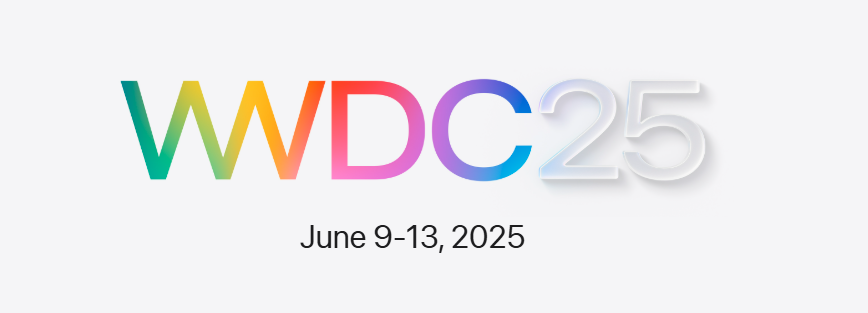


At its big event in California, Apple showed off new software updates for iPhone, iPad, Mac, Apple Watch, Apple TV, and Vision Pro. All the systems now follow a clean design called Liquid Glass and share similar version numbers (iOS 26, iPadOS 26, etc.).
Apple brought back old-school merch before the event!
Meet Liquid Glass – Apple’s New Design for iOS
Apple introduced a new, shiny look called Liquid Glass, inspired by Vision Pro. It uses transparent effects, smooth movements, and stylish highlights. It’s the biggest visual update since iOS 7.
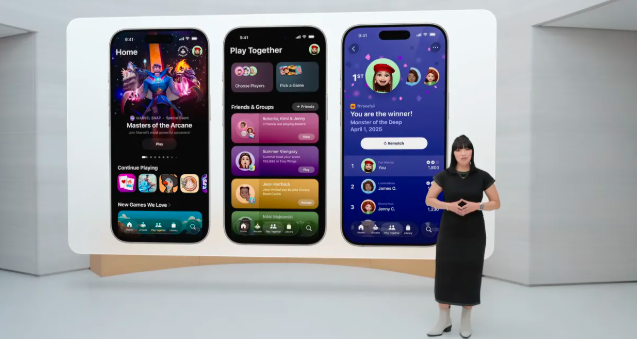
A New Games App for All Apple Devices
Apple finally released its Games App , a central hub for your game library, Arcade, and group gaming. You can now team up, manage co-op games, and even use controllers.
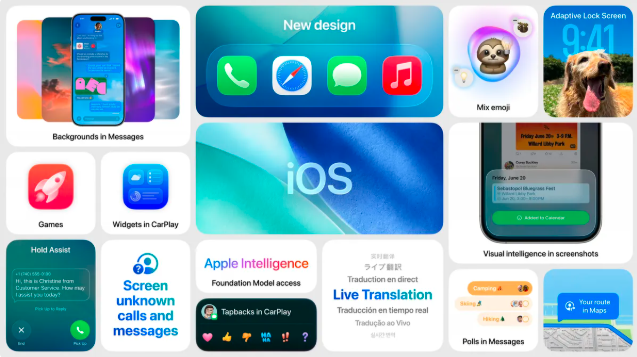
Smarter Calls and Messaging in iOS 26
Call Screening: Tells you who’s calling before you pick up
Hold Assist: Waits on hold for you and alerts you when someone answers
Group polls & shared backgrounds in Messages
Send Apple Cash in group chats
Live Translation is now part of communication apps. You can talk to someone who doesn’t speak your language even if they’re not using an iPhone.
Customize Emojis and Lock Screens
- Mix and create new emojis with Genmoji
- Lock screen now supports animated 2.5D photos
- Smart lyrics with AutoMix, animated artwork, and music pins
Smarter Camera, Photos & Maps
- Easier photo/video modes
- Visual Intelligence helps search screenshots
- Maps remember your favorite routes and past locations
Apple Wallet Gets an Upgrade
You can now:
- Store your digital ID (except for flights)
- Use rewards in stores
- Pay in parts with Installments
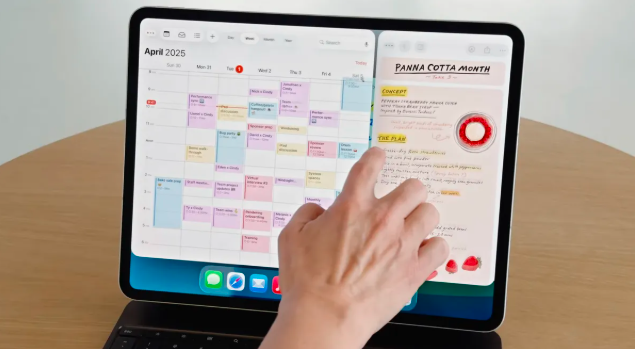
Pad Gets Closer to a Mac with iPadOS 26
- New Windowing System for multitasking
- Expose view shows all open apps
- Files app now supports drag & drop, detailed lists
- Noise control and mic selection for video calls
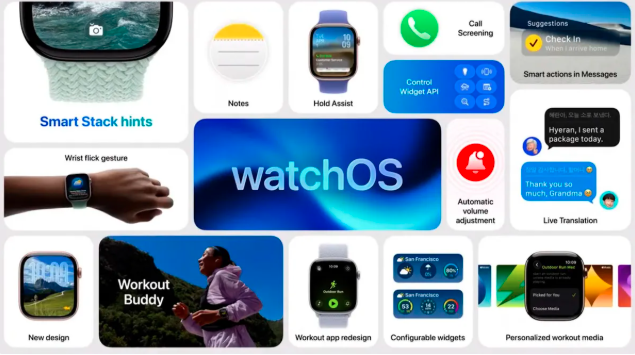
Apple Watch Gets AI Fitness Buddy
- Workout Buddy for AI-based coaching
- Smarter Smart Stacks
- Wrist flick gesture to control notifications
- Noise-based volume alerts
VisionOS 26 Gets More Useful for Work
- Custom widgets and smart window placement
- Create 3D scenes from normal photos
- Privacy mode: “Eyes Only”
- Works with styluses and controllers
- Edit videos, view 360° content
Get To Know more on Apple!